SAP FICO ERROR TUTORIALS-
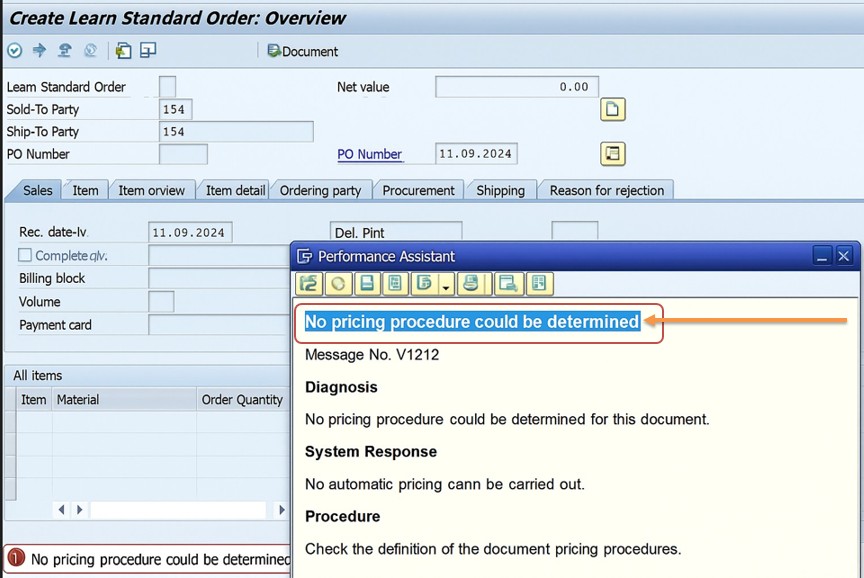
✅ Common error message "The SAP error message "No pricing procedure could be determined (Message No. V1212)" typically means that the system could not find a valid pricing procedure for the sales document you are creating..
✅ Possible Errors:-
✅ cannot determine which pricing procedure to use. This determination depends on a combination of several key configuration elements.
✅ Check Customer Master (VD03):-Sales Area Data > Billing, confirm Customer Pricing Procedure is maintained.
✅ Check Sales Document Type (VOV8):-Confirm the Document Pricing Procedure is set.
✅ Ensure Condition Records Exist:-VK11 to verify condition records are maintained for key pricing conditions (like PR00).
✅ FOLLOW STEPS-
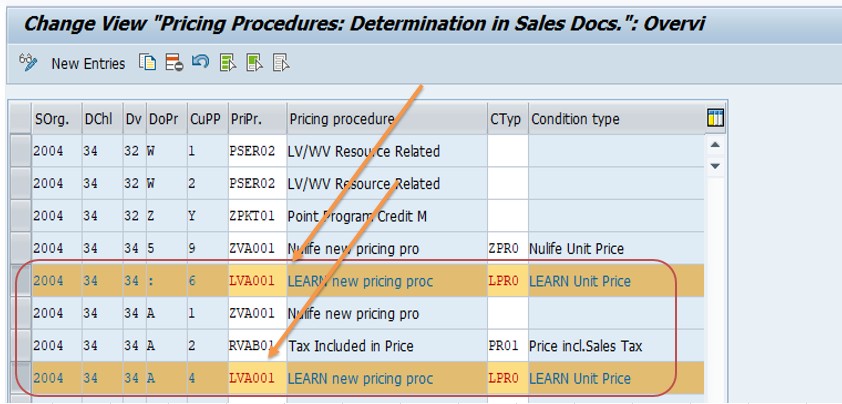
✅ SOLUTION-OVKK ( Verify Pricing Procedure Determination Table (OVKK))
✅ 1)SPRO → Controlling → Sales and Distribution → Basic Functions → Pricing → Pricing Control → Define and Assign Pricing Procedures → Set Pricing Procedure Determination (Transaction Code: OVKK)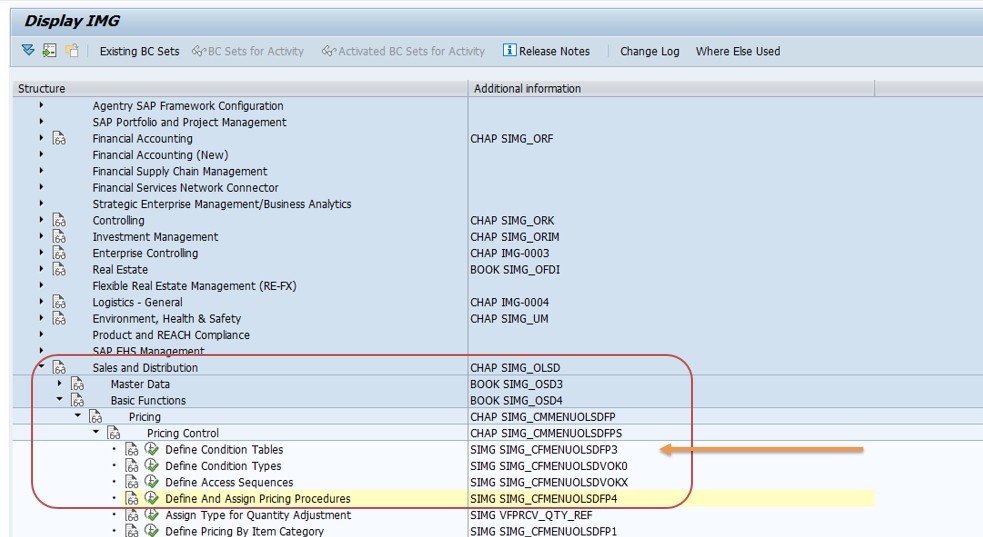
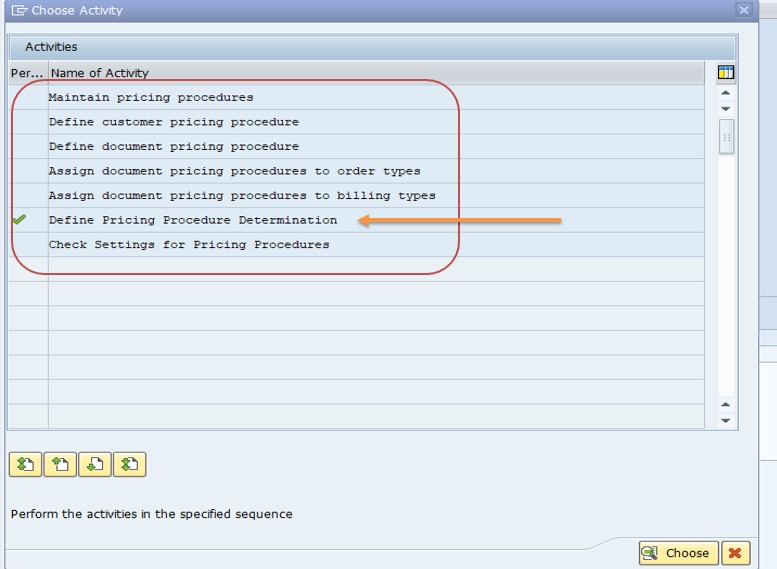
✅ Go To OVKK-
✅ Ensure the combination of- ✅ Sales Area- 2004 ✅ Division- 34 ✅ Cust Pricing Procedure- : ✅ Document Pricing Procedure- A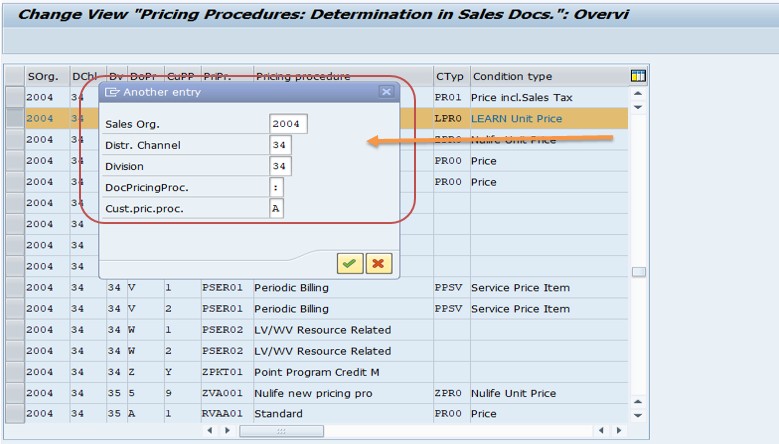
✅ SAVE
-How To Import Data(LSMW) LEGACY SYSTEM MIGRATION WORKBENCH