SAP FICO TUTORIALS-
Dispaly Customer Payment History: A Step-by-Step Guide-
Introduction-
✅ SAP Display Customer Payment History (S_ALR_87012177) – Step-by-Step Guide :-
Customer payment history refers to a comprehensive record of payments made by customers to your organization. This history is essential for tracking outstanding receivables, assessing customer payment behavior, and ensuring timely collection of outstanding invoices. In SAP FICO, the S_ALR_87012177 transaction code enables you to access and analyze this crucial data...
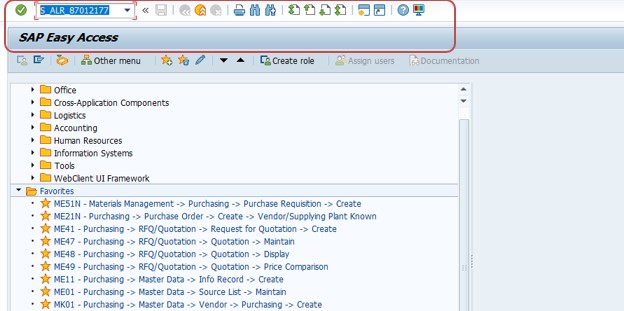
✅ GO TO TCODE -S_ALR_87012177-
The S_ALR_87012177 transaction code in SAP is part of the Financial Accounting (FI) module, specifically under Accounts Receivable. It generates a Customer Payment History Report that summarizes each customer’s payment records, including posted amounts, due dates, clearing documents, and payment statuses.
Follow Path-
Accounting → Financial Accounting → Accounts Receivable → Information System → Reports for Accounts Receivable Accounting → Customer Payment History
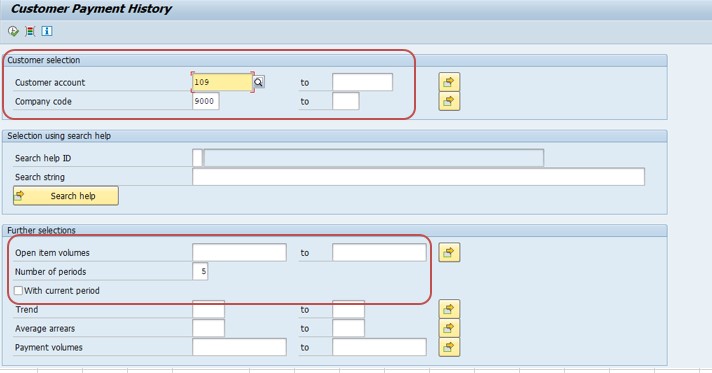
1)SELECT CUSTOMER-109
1)SELECT COMPANY CODE-9000
2)SELECT NUMBER OF PERIOD-5
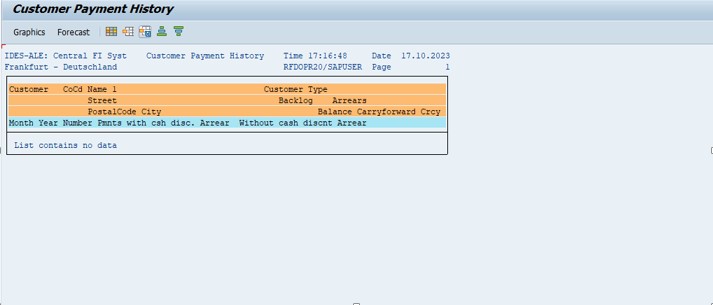
*)SELECT EXECUTE BUTTON-F8
*)SELECT -SAVE